Files
Every workspace includes a shared filesystem that serves as the foundation for OpenHEXA's data lakehouse architecture. This filesystem provides:
- A centralized location for storing raw data files before processing
- Intermediate storage for data transformations and pipelines
- Support for structured and unstructured data
- Integration with data processing tools like notebooks and pipelines
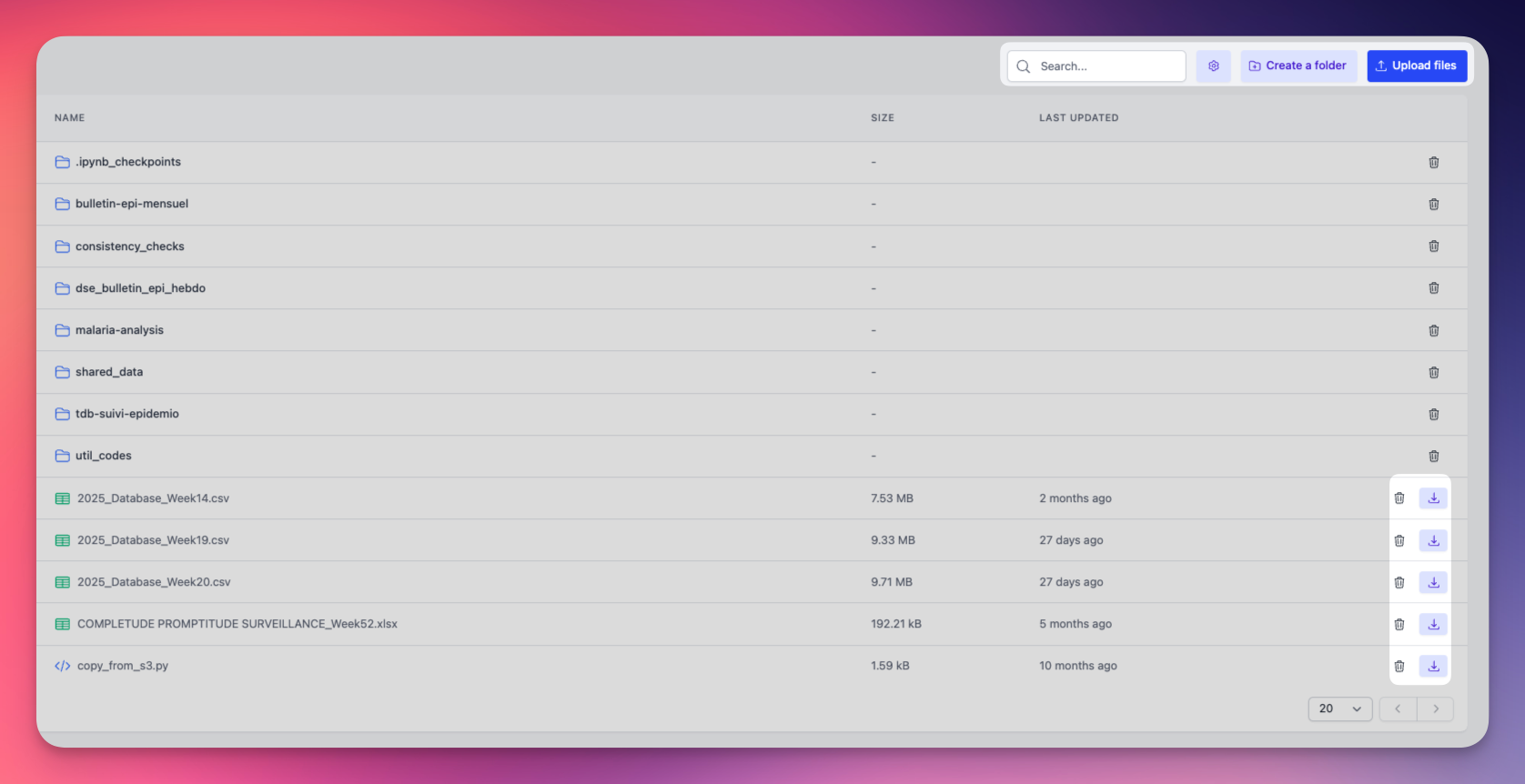
The file browser interface provides several key features:
- Search for files and folders by name
- Toggle visibility of hidden files (starting with ".")
- Create folders to organize your workspace (Editors and Admins only)
- Upload files or entire folders to your workspace (Editors and Admins only)
Files are displayed in a table showing:
- File/folder names with type icons
- File sizes in readable format
- Last modified dates with sorting capability
You can perform common file operations:
- Download files to your local machine (all workspace members)
- Delete files and folders when no longer needed (Editors and Admins only)
File permissions by role
- Viewers: Can browse, search, and download files
- Editors and Admins: Can browse, search, download, upload, create folders, and delete files
Integration with OpenHEXA tools
The workspace filesystem integrates seamlessly with other OpenHEXA components:
- Notebooks: Access files directly from Jupyter notebooks using the workspace filesystem. See Notebooks.
- Data Pipelines: Read and write files in your data processing workflows. See OpenHEXA SDK.