Webapps statiques
Les webapps statiques permettent d'héberger un petit ensemble de fichiers HTML / CSS / JavaScript dans un workspace OpenHEXA et de les servir sur leur propre sous-domaine. Elles sont utiles pour des tableaux de bord, des formulaires de saisie personnalisés, ou n'importe quelle interface front-end qui a besoin de cohabiter avec vos pipelines et jeux de données — sans avoir à mettre en place un environnement d'hébergement séparé.
OpenHEXA supporte trois types de webapps :
- Statique (cette page) : vous fournissez les fichiers source ; OpenHEXA les sert et fait office de proxy pour l'accès à l'API.
- Iframe : OpenHEXA intègre une URL externe.
- Superset : OpenHEXA intègre un tableau de bord Superset.
Créer une webapp statique
Depuis l'interface du workspace, cliquez sur Web Apps → Créer, puis choisissez :
- Créer avec l'IA : décrivez la webapp et l'assistant en écrit une première version, puis l'ouvre dans l'éditeur de code pour que vous puissiez continuer à l'affiner dans le chat. Proposé uniquement lorsque l'IA est activée pour votre organisation.
- À partir du code : déposez vos fichiers ou partez du modèle
index.htmlpar défaut.
Par programme : utilisez l'outil MCP create_static_webapp, ou la mutation GraphQL createWebapp avec une source static portant une liste de fichiers {path, content}. Un fichier index.html à la racine est obligatoire.
Structure du projet
Les fichiers vivent aux chemins que vous fournissez. index.html est le point d'entrée ; tout le reste (CSS, JS, images, fixtures JSON) est servi tel quel depuis la même origine.
Référencez les ressources avec des chemins relatifs (<script src="app.js">, <link href="style.css">) pour qu'elles fonctionnent aussi bien en aperçu qu'une fois publiées.
URL et sous-domaine
Chaque webapp obtient un sous-domaine sous le domaine webapps du workspace — par exemple my-webapp.webapps.example.com. Le sous-domaine reprend par défaut le slug dérivé du nom de la webapp et peut être modifié dans les paramètres de la webapp.
Public ou privé
- Privé (par défaut) : seuls les membres authentifiés du workspace peuvent voir la webapp. Les webapps statiques privées peuvent aussi appeler l'API GraphQL d'OpenHEXA via un point d'accès sur leur propre URL (voir ci-dessous).
- Public : n'importe qui ayant l'URL peut consulter la webapp. Les webapps publiques ne peuvent pas appeler le proxy GraphQL — si vous avez besoin d'exposer des données du workspace publiquement, générez un export statique depuis un pipeline et servez-le comme un fichier dans la webapp.
Appeler l'API GraphQL d'OpenHEXA
Les webapps statiques privées peuvent appeler l'API GraphQL de la plateforme depuis leur code JavaScript, via un point d'accès sur leur propre URL, pour lire les données du workspace et lancer des pipelines. Le reste de cette page couvre cette API en détail — les webapps publiques et iframe ne peuvent pas utiliser ce point d'accès.
Comment ça fonctionne
- Endpoint :
POST /graphql/sur l'URL de la webapp elle-même (même origine). Par exemple, une webapp servie surhttps://my-webapp.webapps.example.com/appellehttps://my-webapp.webapps.example.com/graphql/. - Authentification : gérée par la session de la webapp — le cookie de session du navigateur est attaché automatiquement. N'envoyez pas d'en-tête
Authorization; n'embarquez pas de token dans votre code. - Vérification d'origine : seules les requêtes dont l'
Origincorrespond à celle de la webapp sont autorisées. Les appels cross-site sont rejetés. - Limité par scopes : chaque webapp déclare une liste
allowed_operations. Chaque champ sélectionné par une requête est vérifié par rapport à ces scopes, y compris les champs imbriqués et ceux des fragments. Si un champ n'est pas couvert, toute la requête renvoie un403qui nomme les champs refusés et, lorsqu'un scope les couvre, les scopes à activer, par exempleFields not allowed: Workspace.datasets. Enable scope(s): DATASETS_READ. Les champs qu'aucun scope ne couvre, commeWorkspace.connections, sont listés sans suggestion. - Rôle de l'utilisateur, restreint par les scopes : la webapp agit au nom de l'utilisateur qui la consulte, mais ne peut utiliser que ce que permettent à la fois son rôle dans le workspace et les scopes de la webapp. Les identifiants (mots de passe de base de données, secrets de connexion, tokens) ne sont jamais accessibles à une webapp.
- Uniquement son propre point d'accès : l'API principale d'OpenHEXA refuse les requêtes provenant des pages de webapps. Appelez toujours
/graphql/sur l'URL de la webapp elle-même. - Corps JSON : identique à n'importe quel POST GraphQL —
{"query": "...", "variables": {...}}.
Activer l'API sur une webapp
Par défaut, une webapp statique a une liste allowed_operations vide, ce qui signifie qu'elle ne peut pas appeler l'API. Activez les scopes depuis l'interface du workspace ("Paramètres de la webapp → Accès API") ou via la mutation GraphQL updateWebapp.
Référence des scopes
| Scope | Points d'entrée |
|---|---|
USER_READ | me, workspace, countries, country, boundaries |
PIPELINES_READ | pipeline, pipelines, pipelineByCode, pipelineRun, pipelineVersion, pipelineParameterChoices |
PIPELINES_RUN | runPipeline, stopPipeline |
FILES_READ | getFileByPath, readFileContent, prepareObjectDownload |
DATASETS_READ | dataset, datasets, datasetVersion, datasetLink, datasetLinkBySlug, datasetVersionFile |
DATABASE_READ | executeSavedQuery |
Chaque scope couvre aussi les champs des objets renvoyés par ces points d'entrée, comme le montre le schéma des exemples ci-dessous. Les liens qui remontent vers un workspace, comme Pipeline.workspace, Dataset.workspace ou DatasetLink.workspace, ne sont couverts par aucun scope.
Certains champs nécessitent un second scope :
- Lister les fichiers via
workspace { bucket { objects } }nécessiteUSER_READetFILES_READ. - Lister les jeux de données via
workspace { datasets }nécessiteUSER_READetDATASETS_READ. - Lire les versions de jeux de données produites par une exécution via
pipelineRun { datasetVersions }nécessitePIPELINES_READetDATASETS_READ.
Les champs d'introspection __typename, __schema, __type sont toujours autorisés.
Base de données : lecture seule, et uniquement via des requêtes enregistrées
Une webapp ne peut pas envoyer son propre SQL — executeSQL est refusé sur ce point d'entrée quels que soient les scopes activés. DATABASE_READ lui permet d'exécuter une requête écrite et enregistrée dans le Data Studio par un membre du workspace, désignée par son slug. Le SQL n'est jamais renvoyé : la webapp peut exécuter la requête, pas la lire ni la modifier. Les requêtes s'exécutent avec le rôle de base de données en lecture seule.
Les fichiers du bucket et les fichiers de jeux de données se lisent différemment
Les fichiers du bucket du workspace et ceux d'une version de jeu de données sont stockés séparément, et aucune des deux API ne peut lire l'autre :
- Fichiers du bucket (scope
FILES_READ) : lisez le contenu avecreadFileContent, ou obtenez un lien de téléchargement avecprepareObjectDownload. Les deux prennent un chemin dans le bucket du workspace. - Fichiers de jeux de données (scope
DATASETS_READ) : retrouvez le fichier depuis sa version (datasetVersion.filesoudatasetVersion.fileByName), puis faites unfetch()de sondownloadUrlpour le contenu complet, ou lisezfileSamplepour un court aperçu des lignes. Passer un fichier de jeu de données àreadFileContentouprepareObjectDownloadéchoue.
Voir Lire un fichier de jeu de données pour un exemple complet.
Explorer le schéma
Le moyen le plus rapide de concevoir les requêtes d'une webapp est le playground GraphQL interactif sur https://app.openhexa.org/graphql/ (ou /graphql/ sur votre propre installation).
Notez que le playground affiche le schéma complet, pas seulement ce que le proxy de la webapp autorise. Une requête qui fonctionne dans le playground peut quand même renvoyer un 403 depuis une webapp si l'un des champs qu'elle sélectionne, au premier niveau ou imbriqué, n'est pas couvert par les scopes de la webapp. Le 403 nomme les champs refusés : vérifiez-le avant de copier la requête dans le code de la webapp.
Le global window.OPENHEXA
Quand OpenHEXA sert le HTML de votre webapp statique, il injecte un petit script avant </head> qui expose :
window.OPENHEXA = Object.freeze({
  workspaceSlug: "my-workspace",   // slug du workspace propriétaire de cette webapp
  webappSlug: "my-webapp",         // slug de cette webapp
  isPublic: false,                 // true pour les webapps publiques
  url: "https://app.openhexa.org/workspaces/my-workspace/webapps/my-webapp", // page de cette webapp dans OpenHEXA
});
Les exemples ci-dessous lisent workspaceSlug depuis ce global, donc ils sont copiables-collables dans n'importe quelle webapp sans avoir à modifier de constante. L'injection ne touche que les réponses text/html ; les fichiers CSS, JS et JSON ne sont pas modifiés.
Développer en local
Vous pouvez développer une webapp sur votre machine — votre éditeur, votre rechargement à chaud, vos outils de développement — tout en lisant de vraies données du workspace via la même API filtrée par scopes qu'en production. Sans proxy fait maison ni jeton manuel : un seul script et deux clics.
1. Ajoutez le script à votre page
Les webapps créées à partir du template par défaut incluent déjà cette balise. Elle est inerte une fois déployée (elle ne s'active que sur les pages file:// et localhost), vous pouvez donc la laisser dans votre index.html.
2. Ouvrez votre page et cliquez sur Connect
Ouvrez votre page dans un navigateur où vous êtes déjà connecté à OpenHEXA — soit en ouvrant directement le fichier .html (file://), soit en le servant localement (n'importe quel serveur statique convient, par ex. python -m http.server 5173).
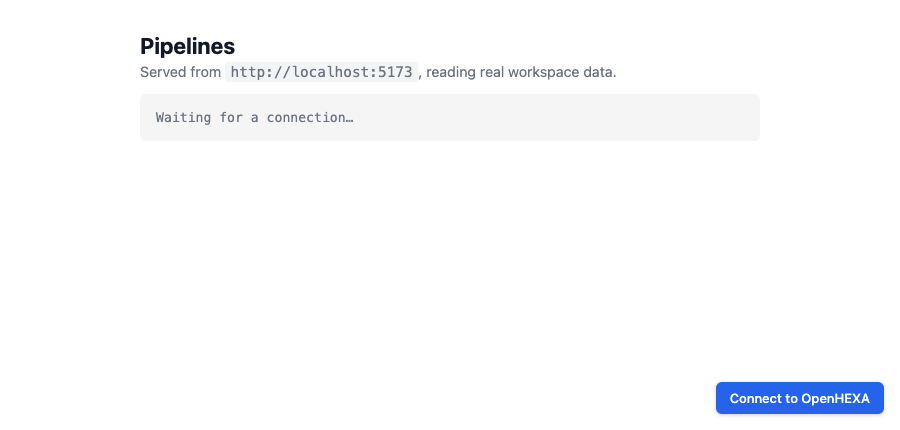
Un bouton Connect to OpenHEXA apparaît dans le coin :
3. Choisissez une webapp et approuvez
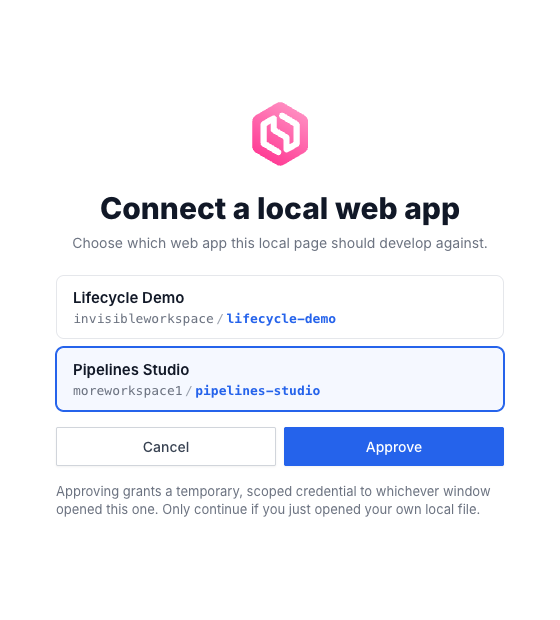
Un clic ouvre une petite fenêtre OpenHEXA listant les webapps statiques privées auxquelles vous avez accès. Choisissez-en une et cliquez sur Approve :
C'est tout
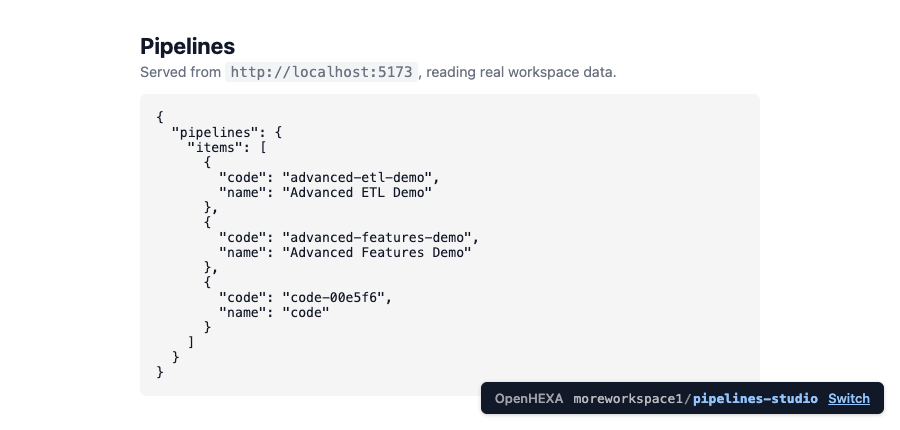
La fenêtre se ferme et votre page se recharge, connectée. window.OPENHEXA est renseigné et vos appels fetch("/graphql/") renvoient de vraies données. Une pastille dans le coin indique la webapp connectée :
Éviter le sélecteur
Indiquez le workspace et la webapp directement : la liste se réduit à cette seule entrée, présélectionnée — vous confirmez toujours avec Approve :
<script src="https://api.openhexa.org/webapps/dev.js" data-workspace-slug="my-workspace" data-webapp-slug="my-webapp"></script>
Bon à savoir
- Les mêmes permissions qu'en production. Vos appels locaux respectent les
allowed_operationsde la webapp exactement comme une fois déployée : une opération qui fonctionne en local ne renverra pas un403plus tard. - La pastille est votre contrôle. Utilisez Switch pour passer à une autre webapp, ou Reconnect pour forcer un nouvel identifiant.
Exemples de webapps
Chaque exemple ci-dessous est un index.html complet que vous pouvez déposer dans une webapp statique. Tous les exemples embarquent la même petite fonction gql() pour rester autonomes, et lisent leur slug de workspace depuis window.OPENHEXA.
USER_READ — Qui suis-je ?
Affiche l'utilisateur courant et le workspace au chargement.
Schéma
type Query {
  me: Me!
  workspace(slug: String!): Workspace
}

type Me {
  user: User
  features: [FeatureFlag!]!
  permissions: MePermissions!
}

type User {
  id: UUID!
  email: String!
  firstName: String
  lastName: String
  displayName: String!
  language: String!
  avatar: Avatar!
}

type Workspace {
  slug: String!
  name: String!
  description: String
  countries: [Country!]!
  organization: Organization
  createdAt: DateTime!
  updatedAt: DateTime
  createdBy: User!
}
<!DOCTYPE html>
<html>
<head>
  <meta charset="utf-8">
  <title>Qui suis-je ?</title>
  <script src="https://api.openhexa.org/webapps/dev.js"></script>
  <style>
    body { font-family: system-ui, sans-serif; max-width: 640px; margin: 2rem auto; padding: 0 1rem; }
    pre { background: #f5f5f5; padding: 1rem; border-radius: 4px; overflow-x: auto; }
  </style>
</head>
<body>
  <h1>Qui suis-je ?</h1>
  <pre id="out">Chargement…</pre>

  <script>
    const { workspaceSlug } = window.OPENHEXA;

    async function gql(query, variables = {}) {
      const res = await fetch("/graphql/", {
        method: "POST",
        headers: { "Content-Type": "application/json" },
        body: JSON.stringify({ query, variables }),
      });
      const json = await res.json();
      if (json.errors) throw new Error(json.errors.map(e => e.message).join("; "));
      return json.data;
    }

    (async () => {
      const data = await gql(`
        query($slug: String!) {
          me { user { id email displayName } }
          workspace(slug: $slug) { slug name description }
        }
      `, { slug: workspaceSlug });
      document.getElementById("out").textContent = JSON.stringify(data, null, 2);
    })();
  </script>
</body>
</html>
PIPELINES_READ — Lister les pipelines
Liste tous les pipelines du workspace.
Schéma
type Query {
  pipelines(
    workspaceSlug: String
    name: String
    search: String
    tags: [String!]
    functionalType: PipelineFunctionalType
    lastRunStates: [PipelineRunStatus!]
    page: Int
    perPage: Int
    orderBy: PipelineOrderBy
  ): PipelinesPage!
}

type PipelinesPage {
  items: [Pipeline!]!
  pageNumber: Int!
  totalPages: Int!
  totalItems: Int!
}

type Pipeline {
  id: UUID!
  code: String!
  name: String
  description: String
  schedule: String
  currentVersion: PipelineVersion
  type: PipelineType!
}
<!DOCTYPE html>
<html>
<head>
  <meta charset="utf-8">
  <title>Pipelines</title>
  <script src="https://api.openhexa.org/webapps/dev.js"></script>
  <style>
    body { font-family: system-ui, sans-serif; max-width: 720px; margin: 2rem auto; padding: 0 1rem; }
    li { margin-bottom: 0.75rem; }
    code { background: #f5f5f5; padding: 0.1rem 0.3rem; border-radius: 3px; }
  </style>
</head>
<body>
  <h1>Pipelines</h1>
  <ul id="list"><li>Chargement…</li></ul>

  <script>
    const { workspaceSlug } = window.OPENHEXA;

    async function gql(query, variables = {}) {
      const res = await fetch("/graphql/", {
        method: "POST",
        headers: { "Content-Type": "application/json" },
        body: JSON.stringify({ query, variables }),
      });
      const json = await res.json();
      if (json.errors) throw new Error(json.errors.map(e => e.message).join("; "));
      return json.data;
    }

    (async () => {
      const { pipelines } = await gql(`
        query($slug: String!) {
          pipelines(workspaceSlug: $slug, page: 1, perPage: 50) {
            items { id code name description schedule }
          }
        }
      `, { slug: workspaceSlug });

      const list = document.getElementById("list");
      list.innerHTML = "";
      for (const p of pipelines.items) {
        const li = document.createElement("li");
        li.innerHTML = `<strong>${p.name}</strong> <code>${p.code}</code><br><small>${p.description ?? ""}</small>`;
        list.appendChild(li);
      }
    })();
  </script>
</body>
</html>
PIPELINES_READ + PIPELINES_RUN — Choisir un pipeline et le lancer
Charge la liste des pipelines à l'ouverture de la page, vous laisse en choisir un dans une liste déroulante, et le lance avec une configuration JSON. Interroge le statut jusqu'à la fin de l'exécution. Nécessite à la fois PIPELINES_READ (pour lister) et PIPELINES_RUN (pour lancer).
Schéma
type Query {
  pipelines(workspaceSlug: String, page: Int, perPage: Int): PipelinesPage!
  pipeline(id: UUID!): Pipeline
  pipelineRun(id: UUID!): PipelineRun
}

type Mutation {
  runPipeline(input: RunPipelineInput): RunPipelineResult!
  stopPipeline(input: StopPipelineInput!): StopPipelineResult!
}

input RunPipelineInput {
  id: UUID!
  versionId: UUID
  config: JSON!
  sendMailNotifications: Boolean
  enableDebugLogs: Boolean
}

input StopPipelineInput {
  runId: UUID!
}

type RunPipelineResult {
  success: Boolean!
  errors: [PipelineError!]!
  run: PipelineRun
}

type StopPipelineResult {
  success: Boolean!
  errors: [PipelineError!]!
}

type PipelineRun {
  id: UUID!
  status: PipelineRunStatus!
  progress: Int!
  executionDate: DateTime
  duration: Int
  outputs: [PipelineRunOutput!]!
}

union PipelineRunOutput = BucketObject | GenericOutput | DatabaseTable
<!DOCTYPE html>
<html>
<head>
  <meta charset="utf-8">
  <title>Lancer un pipeline</title>
  <script src="https://api.openhexa.org/webapps/dev.js"></script>
  <style>
    body { font-family: system-ui, sans-serif; max-width: 640px; margin: 2rem auto; padding: 0 1rem; }
    label { display: block; margin: 0.75rem 0 0.25rem; font-weight: 500; }
    select, textarea { width: 100%; padding: 0.4rem; box-sizing: border-box; font-family: inherit; }
    button { margin-top: 1rem; padding: 0.5rem 1rem; }
    button[disabled] { opacity: 0.5; cursor: not-allowed; }
    #status { margin-top: 1rem; font-weight: 600; }
  </style>
</head>
<body>
  <h1>Lancer un pipeline</h1>

  <label>Pipeline
    <select id="pipeline" disabled><option>Chargement…</option></select>
  </label>
  <label>Configuration (JSON)
    <textarea id="cfg" rows="4">{}</textarea>
  </label>
  <button id="runBtn" disabled onclick="runIt()">Lancer</button>

  <p id="status"></p>

  <script>
    const { workspaceSlug } = window.OPENHEXA;

    async function gql(query, variables = {}) {
      const res = await fetch("/graphql/", {
        method: "POST",
        headers: { "Content-Type": "application/json" },
        body: JSON.stringify({ query, variables }),
      });
      const json = await res.json();
      if (json.errors) throw new Error(json.errors.map(e => e.message).join("; "));
      return json.data;
    }

    // 1. Charger la liste des pipelines et remplir la liste déroulante.
    (async () => {
      const { pipelines } = await gql(`
        query($slug: String!) {
          pipelines(workspaceSlug: $slug, page: 1, perPage: 100) {
            items { id code name }
          }
        }
      `, { slug: workspaceSlug });

      const select = document.getElementById("pipeline");
      if (!pipelines.items.length) {
        select.innerHTML = '<option>(aucun pipeline dans ce workspace)</option>';
        return;
      }
      select.innerHTML = pipelines.items
        .map(p => `<option value="${p.id}">${p.name} (${p.code})</option>`)
        .join("");
      select.disabled = false;
      document.getElementById("runBtn").disabled = false;
    })();

    // 2. Lancer le pipeline sélectionné et interroger le statut jusqu'à la fin.
    async function runIt() {
      const id = document.getElementById("pipeline").value;
      const config = JSON.parse(document.getElementById("cfg").value || "{}");
      const status = document.getElementById("status");

      const { runPipeline } = await gql(`
        mutation($input: RunPipelineInput!) {
          runPipeline(input: $input) {
            success errors run { id status }
          }
        }
      `, { input: { id, config } });

      if (!runPipeline.success) {
        status.textContent = "Erreur : " + runPipeline.errors.join(", ");
        return;
      }

      const runId = runPipeline.run.id;
      status.textContent = "Exécution en cours…";

      while (true) {
        await new Promise(r => setTimeout(r, 2000));
        const { pipelineRun } = await gql(
          `query($id: UUID!) { pipelineRun(id: $id) { status } }`,
          { id: runId },
        );
        status.textContent = "Statut : " + pipelineRun.status;
        if (["success", "failed", "stopped", "skipped"].includes(pipelineRun.status)) break;
      }
    }
  </script>
</body>
</html>
USER_READ + FILES_READ — Choisir un CSV dans le bucket du workspace et l'afficher
Liste les fichiers CSV du bucket au chargement de la page, vous laisse en choisir un dans une liste déroulante, et affiche les 100 premières lignes dans un tableau. Nécessite à la fois USER_READ (pour lister les fichiers via workspace.bucket.objects) et FILES_READ (pour lire le contenu).
Schéma
type Query {
  getFileByPath(workspaceSlug: String!, path: String!): BucketObject
  readFileContent(
    workspaceSlug: String!
    filePath: String!
    startLine: Int
    endLine: Int
  ): ReadFileContentResult!
}

type Mutation {
  prepareObjectDownload(input: PrepareObjectDownloadInput!): PrepareObjectDownloadResult!
}

input PrepareObjectDownloadInput {
  workspaceSlug: String!
  objectKey: String!
  forceAttachment: Boolean = true
}

type BucketObject {
  key: String!
  name: String!
  path: String!
  size: BigInt
  updatedAt: DateTime
  type: BucketObjectType!
}

type ReadFileContentResult {
  success: Boolean!
  errors: [ReadFileContentError!]!
  content: String
  size: Int
}

type PrepareObjectDownloadResult {
  success: Boolean!
  downloadUrl: URL
  errors: [PrepareObjectDownloadError!]!
}
<!DOCTYPE html>
<html>
<head>
  <meta charset="utf-8">
  <title>Aperçu CSV</title>
  <script src="https://api.openhexa.org/webapps/dev.js"></script>
  <style>
    body { font-family: system-ui, sans-serif; max-width: 800px; margin: 2rem auto; padding: 0 1rem; }
    label { display: block; margin: 0.75rem 0 0.25rem; font-weight: 500; }
    select { width: 100%; padding: 0.4rem; box-sizing: border-box; font-family: inherit; }
    button { margin-top: 0.75rem; padding: 0.5rem 1rem; }
    button[disabled] { opacity: 0.5; cursor: not-allowed; }
    table { border-collapse: collapse; margin-top: 1rem; width: 100%; }
    th, td { border: 1px solid #ddd; padding: 0.3rem 0.5rem; font-size: 0.9rem; }
    th { background: #f5f5f5; }
    #status { margin-top: 1rem; color: #b91c1c; }
  </style>
</head>
<body>
  <h1>Aperçu CSV</h1>

  <label>Fichier
    <select id="file" disabled><option>Chargement…</option></select>
  </label>
  <button id="loadBtn" disabled onclick="load()">Charger</button>

  <p id="status"></p>
  <div id="table"></div>

  <script>
    const { workspaceSlug } = window.OPENHEXA;

    async function gql(query, variables = {}) {
      const res = await fetch("/graphql/", {
        method: "POST",
        headers: { "Content-Type": "application/json" },
        body: JSON.stringify({ query, variables }),
      });
      const json = await res.json();
      if (json.errors) throw new Error(json.errors.map(e => e.message).join("; "));
      return json.data;
    }

    // 1. Lister les fichiers CSV du bucket et remplir la liste déroulante.
    (async () => {
      const { workspace } = await gql(`
        query($slug: String!) {
          workspace(slug: $slug) {
            bucket {
              objects(page: 1, perPage: 200, ignoreHiddenFiles: true) {
                items { key name path type }
              }
            }
          }
        }
      `, { slug: workspaceSlug });

      const csvFiles = workspace.bucket.objects.items
        .filter(o => o.type === "FILE" && o.name.toLowerCase().endsWith(".csv"));

      const select = document.getElementById("file");
      if (!csvFiles.length) {
        select.innerHTML = '<option>(aucun fichier CSV dans ce workspace)</option>';
        return;
      }
      select.innerHTML = csvFiles
        .map(f => `<option value="${f.key}">${f.key}</option>`)
        .join("");
      select.disabled = false;
      document.getElementById("loadBtn").disabled = false;
    })();

    // 2. Récupérer et afficher le fichier sélectionné dans un tableau.
    async function load() {
      const path = document.getElementById("file").value;
      const status = document.getElementById("status");
      const out = document.getElementById("table");
      status.textContent = "";
      out.innerHTML = "";

      const { readFileContent } = await gql(`
        query($slug: String!, $path: String!) {
          readFileContent(workspaceSlug: $slug, filePath: $path, startLine: 1, endLine: 100) {
            success content
          }
        }
      `, { slug: workspaceSlug, path });

      if (!readFileContent.success || !readFileContent.content) {
        status.textContent = "Impossible de lire ce fichier (il est peut-être vide ou non lisible en texte).";
        return;
      }

      const rows = readFileContent.content.trim().split("\n").map(l => l.split(","));
      const [header, ...body] = rows;
      out.innerHTML = [
        "<table><thead><tr>",
        header.map(h => `<th>${h}</th>`).join(""),
        "</tr></thead><tbody>",
        body.map(r => "<tr>" + r.map(c => `<td>${c}</td>`).join("") + "</tr>").join(""),
        "</tbody></table>",
      ].join("");
    }
  </script>
</body>
</html>
USER_READ + DATASETS_READ — Lister les jeux de données
Liste les jeux de données visibles depuis le workspace, avec leur dernière version. Nécessite à la fois USER_READ (la liste vient de workspace.datasets) et DATASETS_READ (pour lire les jeux de données eux-mêmes).
Schéma
type Query {
  # `query` filtre sur le nom du jeu de données (sans tenir compte de la casse), pas sur son slug.
  datasets(query: String, page: Int = 1, perPage: Int = 15): DatasetPage!
  dataset(id: ID!): Dataset
  datasetVersion(id: ID!): DatasetVersion
  datasetLink(id: ID!): DatasetLink
}

type Workspace {
  # Jeux de données du workspace, y compris ceux partagés avec lui.
  datasets(pinned: Boolean, query: String, page: Int = 1, perPage: Int = 15): DatasetLinkPage!
}

type DatasetLinkPage {
  totalPages: Int!
  totalItems: Int!
  pageNumber: Int!
  items: [DatasetLink!]!
}

type DatasetLink {
  id: ID!
  isPinned: Boolean!
  dataset: Dataset!
  workspace: Workspace!
}

type DatasetPage {
  totalPages: Int!
  totalItems: Int!
  pageNumber: Int!
  items: [Dataset!]!
}

type Dataset {
  id: ID!
  slug: String!
  name: String!
  description: String
  createdAt: DateTime!
  updatedAt: DateTime!
  createdBy: User
  workspace: Workspace
  versions(page: Int = 1, perPage: Int = 15): DatasetVersionPage!
  latestVersion: DatasetVersion
  links(page: Int = 1, perPage: Int = 15): DatasetLinkPage!
}

type DatasetVersionPage {
  totalPages: Int!
  totalItems: Int!
  pageNumber: Int!
  items: [DatasetVersion!]!
}

type DatasetVersion {
  id: ID!
  name: String!
  changelog: String
  createdAt: DateTime!
  createdBy: User
  dataset: Dataset!
  files(page: Int = 1, perPage: Int = 15): DatasetVersionFilePage!
  fileByName(name: String!): DatasetVersionFile
}

type DatasetVersionFilePage {
  totalPages: Int!
  totalItems: Int!
  pageNumber: Int!
  items: [DatasetVersionFile!]!
}

type DatasetVersionFile {
  id: ID!
  filename: String!
  contentType: String!
  size: BigInt!
  createdAt: DateTime!
  # Renseignés une fois le fichier analysé (CSV, Parquet, Excel) ; null sinon.
  rows: Int
  columns: [String!]
  fileSample: DatasetFileSample
  # URL signée à courte durée de vie vers le contenu du fichier. Null si
  # l'utilisateur ne peut pas télécharger cette version. `attachment: false`
  # sert le fichier directement au lieu d'un téléchargement.
  downloadUrl(attachment: Boolean = true): String
}

type DatasetFileSample {
  # Premières lignes du fichier, sous forme de liste d'objets { colonne: valeur }.
  sample: JSON
  status: FileSampleStatus!  # PROCESSING, FINISHED ou FAILED
  statusReason: String
}
<!DOCTYPE html>
<html>
<head>
  <meta charset="utf-8">
  <title>Jeux de données</title>
  <script src="https://api.openhexa.org/webapps/dev.js"></script>
  <style>
    body { font-family: system-ui, sans-serif; max-width: 720px; margin: 2rem auto; padding: 0 1rem; }
    li { margin-bottom: 0.75rem; }
    small { color: #666; }
  </style>
</head>
<body>
  <h1>Jeux de données</h1>
  <ul id="list"><li>Chargement…</li></ul>

  <script>
    const { workspaceSlug } = window.OPENHEXA;

    async function gql(query, variables = {}) {
      const res = await fetch("/graphql/", {
        method: "POST",
        headers: { "Content-Type": "application/json" },
        body: JSON.stringify({ query, variables }),
      });
      const json = await res.json();
      if (json.errors) throw new Error(json.errors.map(e => e.message).join("; "));
      return json.data;
    }

    (async () => {
      const { workspace } = await gql(`
        query($slug: String!) {
          workspace(slug: $slug) {
            datasets(page: 1, perPage: 50) {
              items {
                dataset {
                  id slug name description
                  latestVersion { name createdAt }
                }
              }
            }
          }
        }
      `, { slug: workspaceSlug });

      const list = document.getElementById("list");
      list.innerHTML = "";
      for (const item of workspace.datasets.items) {
        const d = item.dataset;
        const li = document.createElement("li");
        const v = d.latestVersion ? `${d.latestVersion.name} — ${new Date(d.latestVersion.createdAt).toLocaleDateString()}` : "aucune version pour l'instant";
        li.innerHTML = `<strong>${d.name}</strong><br><small>Dernière : ${v}</small>`;
        list.appendChild(li);
      }
    })();
  </script>
</body>
</html>
USER_READ + DATASETS_READ — Lire un fichier de jeu de données
Vous laisse choisir un jeu de données, puis l'un des fichiers CSV de sa dernière version, et affiche les 100 premières lignes dans un tableau. Nécessite USER_READ (pour lister les jeux de données via workspace.datasets) et DATASETS_READ (pour lister les fichiers de la version et obtenir leur URL de téléchargement). Utilise le schéma ci-dessus.
Les fichiers de jeux de données ne sont pas dans le bucket du workspace : readFileContent et prepareObjectDownload ne peuvent donc pas les lire. Demandez plutôt à GraphQL le downloadUrl du fichier, puis faites-en un fetch() :
- L'URL est signée et expire au bout d'une dizaine de minutes. Demandez-la juste avant le téléchargement plutôt qu'au chargement de la page.
- Elle pointe vers le service de stockage, pas vers le point d'entrée
/graphql/de la webapp : faites lefetch()telle quelle, sans en-têtes supplémentaires. - Elle vaut
nullsi l'utilisateur n'a pas le droit de télécharger cette version du jeu de données.
Pour un simple aperçu, évitez le téléchargement et lisez fileSample { status sample }. sample est déjà découpé en une liste de lignes { colonne: valeur }, et est disponible une fois que status vaut FINISHED.
Quand la webapp affiche toujours le même jeu de données, codez en dur l'id du jeu de données et lisez-le avec dataset(id:), qui ne nécessite que DATASETS_READ. Une webapp ne peut pas retrouver un jeu de données par son slug, et datasets(query:) filtre sur le nom : lui passer un slug ne renvoie rien. Lire latestVersion garde l'application à jour quand une nouvelle version est publiée :
const DATASET_ID = "<id du jeu de données>";
const FILE_NAME = "mon_fichier.csv";

const { dataset } = await gql(`
  query($id: ID!, $name: String!) {
    dataset(id: $id) {
      latestVersion {
        fileByName(name: $name) { downloadUrl(attachment: false) }
      }
    }
  }
`, { id: DATASET_ID, name: FILE_NAME });

const url = dataset?.latestVersion?.fileByName?.downloadUrl;
if (!url) throw new Error("Fichier introuvable, ou vous n'avez pas le droit de le télécharger.");
const csv = await (await fetch(url)).text();
L'exemple complet ci-dessous laisse plutôt l'utilisateur choisir le jeu de données :
<!DOCTYPE html>
<html>
<head>
  <meta charset="utf-8">
  <title>Aperçu d'un fichier de jeu de données</title>
  <script src="https://api.openhexa.org/webapps/dev.js"></script>
  <style>
    body { font-family: system-ui, sans-serif; max-width: 800px; margin: 2rem auto; padding: 0 1rem; }
    label { display: block; margin: 0.75rem 0 0.25rem; font-weight: 500; }
    select { width: 100%; padding: 0.4rem; box-sizing: border-box; font-family: inherit; }
    button { margin-top: 0.75rem; padding: 0.5rem 1rem; }
    button[disabled] { opacity: 0.5; cursor: not-allowed; }
    table { border-collapse: collapse; margin-top: 1rem; width: 100%; }
    th, td { border: 1px solid #ddd; padding: 0.3rem 0.5rem; font-size: 0.9rem; }
    th { background: #f5f5f5; }
    #status { margin-top: 1rem; color: #b91c1c; }
  </style>
</head>
<body>
  <h1>Aperçu d'un fichier de jeu de données</h1>

  <label>Jeu de données
    <select id="dataset" disabled onchange="loadFiles()"><option>Chargement…</option></select>
  </label>
  <label>Fichier
    <select id="file" disabled></select>
  </label>
  <button id="loadBtn" disabled onclick="load()">Charger</button>

  <p id="status"></p>
  <div id="table"></div>

  <script>
    const { workspaceSlug } = window.OPENHEXA;
    let versionId = null;

    async function gql(query, variables = {}) {
      const res = await fetch("/graphql/", {
        method: "POST",
        headers: { "Content-Type": "application/json" },
        body: JSON.stringify({ query, variables }),
      });
      const json = await res.json();
      if (json.errors) throw new Error(json.errors.map(e => e.message).join("; "));
      return json.data;
    }

    // 1. Liste les jeux de données du workspace.
    (async () => {
      const { workspace } = await gql(`
        query($slug: String!) {
          workspace(slug: $slug) {
            datasets(page: 1, perPage: 50) {
              items { dataset { id name } }
            }
          }
        }
      `, { slug: workspaceSlug });

      const select = document.getElementById("dataset");
      select.innerHTML = '<option value="">Choisissez un jeu de données…</option>' + workspace.datasets.items
        .map(({ dataset }) => `<option value="${dataset.id}">${dataset.name}</option>`)
        .join("");
      select.disabled = false;
    })();

    // 2. Liste les fichiers CSV de la dernière version du jeu de données.
    async function loadFiles() {
      const datasetId = document.getElementById("dataset").value;
      const fileSelect = document.getElementById("file");
      const loadBtn = document.getElementById("loadBtn");
      const status = document.getElementById("status");
      fileSelect.innerHTML = "";
      fileSelect.disabled = loadBtn.disabled = true;
      status.textContent = "";
      document.getElementById("table").innerHTML = "";
      if (!datasetId) return;

      const { dataset } = await gql(`
        query($id: ID!) {
          dataset(id: $id) {
            latestVersion {
              id name
              files(page: 1, perPage: 50) { items { filename size } }
            }
          }
        }
      `, { id: datasetId });

      const version = dataset.latestVersion;
      if (!version) {
        status.textContent = "Ce jeu de données n'a pas encore de version.";
        return;
      }
      versionId = version.id;
      const csvFiles = version.files.items.filter(f => f.filename.toLowerCase().endsWith(".csv"));
      if (!csvFiles.length) {
        status.textContent = `La version ${version.name} ne contient aucun fichier CSV.`;
        return;
      }
      fileSelect.innerHTML = csvFiles
        .map(f => `<option value="${f.filename}">${f.filename}</option>`)
        .join("");
      fileSelect.disabled = loadBtn.disabled = false;
    }

    // 3. Obtient une URL de téléchargement fraîche pour le fichier choisi, le télécharge et l'affiche.
    async function load() {
      const filename = document.getElementById("file").value;
      const status = document.getElementById("status");
      const out = document.getElementById("table");
      status.textContent = "";
      out.innerHTML = "";

      const { datasetVersion } = await gql(`
        query($id: ID!, $name: String!) {
          datasetVersion(id: $id) {
            fileByName(name: $name) { downloadUrl(attachment: false) }
          }
        }
      `, { id: versionId, name: filename });

      const url = datasetVersion.fileByName?.downloadUrl;
      if (!url) {
        status.textContent = "Vous n'avez pas le droit de télécharger ce fichier.";
        return;
      }
      const res = await fetch(url);
      if (!res.ok) {
        status.textContent = `Échec du téléchargement (${res.status}).`;
        return;
      }

      const rows = (await res.text()).trim().split("\n").slice(0, 101).map(l => l.split(","));
      const [header, ...body] = rows;
      out.innerHTML = [
        "<table><thead><tr>",
        header.map(h => `<th>${h}</th>`).join(""),
        "</tr></thead><tbody>",
        body.map(r => "<tr>" + r.map(c => `<td>${c}</td>`).join("") + "</tr>").join(""),
        "</tbody></table>",
      ].join("");
    }
  </script>
</body>
</html>
DATABASE_READ — Exécuter une requête enregistrée
Exécute une requête enregistrée dans le Data Studio et affiche les lignes dans un tableau. La webapp désigne la requête par son slug ; elle ne détient jamais le SQL.
Schéma
type Query {
  executeSavedQuery(input: ExecuteSavedQueryInput!): ExecuteSQLResult!
}

input ExecuteSavedQueryInput {
  slug: String!
  orderBy: [QueryResultOrderBy!]
  perPage: Int                 # 50 par défaut
  page: Int                    # à partir de 1
  after: String                # le endCursor de la page précédente
  before: String               # le startCursor de la page suivante
  includeTotalItems: Boolean
}

input QueryResultOrderBy {
  column: String!
  direction: OrderByDirection = ASC   # ASC | DESC
}

# Même payload que executeSQL.
type ExecuteSQLResult {
  success: Boolean!
  errors: [ExecuteSQLError!]!
  errorMessage: String
  columns: [String!]
  rows: [JSON!]
  rowCount: Int
  pageInfo: QueryResultPageInfo
  durationMs: Int
}

type QueryResultPageInfo {
  hasNextPage: Boolean!
  hasPreviousPage: Boolean!
  pageNumber: Int      # null avec un curseur
  startCursor: String  # null sur la première page
  endCursor: String    # null sur la dernière page
  totalItems: Int      # seulement avec includeTotalItems
  totalPages: Int      # seulement avec includeTotalItems
}

enum ExecuteSQLError {
  SAVED_QUERY_NOT_FOUND
  PERMISSION_DENIED
  QUERY_TIMEOUT
  QUERY_ERROR
  MULTIPLE_STATEMENTS
  INVALID_ORDER_BY
  INVALID_CURSOR
  INVALID_PAGINATION
}
Le slug se lit dans le Data Studio : c'est le dernier segment de l'URL de la requête enregistrée. Notez que la requête doit être partagée avec le workspace ; une requête privée échoue avec SAVED_QUERY_NOT_FOUND.
Tri et pagination
Un appel avec le seul slug exécute la requête telle qu'enregistrée et renvoie ses perPage premières lignes ; pageInfo.hasNextPage indique si le plafond a coupé le résultat. Pour trier ou parcourir le résultat page par page, ajoutez orderBy, page, after ou before : la requête est alors enveloppée dans une sous-requête, son propre ORDER BY est donc remplacé et un éventuel LIMIT continue de s'appliquer à l'intérieur. Deux modes sont disponibles, et orderBy seul renvoie la première page des deux :
- Par numéro de page (
page) : simple, et le seul mode qui peut renvoyer un total. Demandez-le avecincludeTotalItems: true, au prix d'un second parcours de la requête. SansorderBy, l'ordre des lignes n'est pas garanti d'une page à l'autre. - Par curseur (
afteroubefore) : passez leendCursorde la page précédente dansafterpour avancer, ou lestartCursorde la page suivante dansbeforepour reculer, toujours avec le mêmeorderBy. Stable quand des lignes sont insérées ou supprimées entre deux appels, et peu coûteux sur les pages profondes. Triez sur des colonnes non nullables et terminezorderBypar une colonne unique ; un curseur ànullaccompagné dehasNextPage(ouhasPreviousPage) àtruesignifie que la clé de tri de la ligne contient unNULLet que ce tri ne peut pas être parcouru par curseur à partir de là.
INVALID_ORDER_BY est renvoyé pour une colonne absente du résultat (ou présente deux fois : donnez un alias aux colonnes dans la requête enregistrée), INVALID_CURSOR pour un curseur construit pour une autre requête ou un autre tri, et INVALID_PAGINATION pour des arguments contradictoires, comme page avec un curseur, ou after avec before.
<!DOCTYPE html>
<html>
<head>
  <meta charset="utf-8">
  <title>Requête enregistrée</title>
  <script src="https://api.openhexa.org/webapps/dev.js"></script>
  <style>
    body { font-family: system-ui, sans-serif; max-width: 900px; margin: 2rem auto; padding: 0 1rem; }
    table { border-collapse: collapse; width: 100%; }
    th, td { border: 1px solid #e5e7eb; padding: 0.375rem 0.5rem; text-align: left; font-size: 0.875rem; }
    th { background: #f9fafb; }
  </style>
</head>
<body>
  <h1>Requête enregistrée</h1>
  <div id="out">Chargement…</div>

  <script>
    const SAVED_QUERY_SLUG = "ma-requete-enregistree";

    async function gql(query, variables) {
      const res = await fetch("/graphql/", {
        method: "POST",
        credentials: "include",
        headers: { "Content-Type": "application/json" },
        body: JSON.stringify({ query, variables }),
      });
      const json = await res.json();
      if (json.errors) throw new Error(json.errors.map(e => e.message).join("; "));
      return json.data;
    }

    (async () => {
      const out = document.getElementById("out");
      const { executeSavedQuery: result } = await gql(`
        query($input: ExecuteSavedQueryInput!) {
          executeSavedQuery(input: $input) {
            success errors columns rows rowCount
            pageInfo { hasNextPage }
          }
        }
      `, { input: { slug: SAVED_QUERY_SLUG, perPage: 100 } });

      if (!result.success) {
        out.textContent = "Erreur : " + result.errors.join(", ");
        return;
      }

      const header = result.columns.map(c => `<th>${c}</th>`).join("");
      const body = result.rows.map(row =>
        `<tr>${result.columns.map(c => `<td>${row[c] ?? ""}</td>`).join("")}</tr>`
      ).join("");
      out.innerHTML = `<table><thead><tr>${header}</tr></thead><tbody>${body}</tbody></table>` +
        (result.pageInfo.hasNextPage ? `<p>Affichage des ${result.rowCount} premières lignes.</p>` : "");
    })();
  </script>
</body>
</html>
Pour parcourir un résultat volumineux, gardez le même orderBy et renvoyez le endCursor de chaque page dans after :
async function* pages(slug, orderBy, perPage = 100) {
  let after = null;
  while (true) {
    const { executeSavedQuery: result } = await gql(`
      query($input: ExecuteSavedQueryInput!) {
        executeSavedQuery(input: $input) {
          success errors rows pageInfo { hasNextPage endCursor }
        }
      }
    `, { input: { slug, orderBy, perPage, after } });
    if (!result.success) throw new Error(result.errors.join(", "));
    yield result.rows;
    if (!result.pageInfo.hasNextPage) return;
    after = result.pageInfo.endCursor;
  }
}

for await (const rows of pages(SAVED_QUERY_SLUG, [{ column: "id" }])) {
  console.log(rows.length, "lignes");
}
Un tableau avec des boutons Précédent et Suivant conserve le startCursor et le endCursor de la page courante et renvoie l'un des deux : { before: startCursor } pour la page précédente, { after: endCursor } pour la suivante. Les deux valent null quand il n'y a pas de page dans cette direction.