Static Webapps
Static webapps host an HTML/CSS/JavaScript bundle inside an OpenHEXA workspace, served on its own subdomain, and can query OpenHEXA on behalf of viewing users via a pre-authenticated GraphQL endpoint — great for dashboards and custom forms.
OpenHEXA supports three webapp types:
- Static (this page): you provide the source files; OpenHEXA serves them and proxies API access for you.
- Iframe: OpenHEXA embeds an external URL.
- Superset: OpenHEXA embeds a Superset dashboard.
Creating a static webapp
From the workspace UI, click Web Apps → Create, then pick one of:
- Create with AI: describe the web app and the assistant writes a first version, then opens it in the code editor so you can keep refining it in the chat. Only offered when AI is enabled for your organization.
- From code: drop in your files or start from the default
index.htmltemplate.
Programmatically: use the create_static_webapp MCP tool, or the GraphQL createWebapp mutation with a static source carrying a list of {path, content} files. An index.html at the root is required.
Project structure
Files live at the paths you provide. index.html is the entry point; everything else (CSS, JS, images, JSON fixtures) is served as-is from the same origin.
Reference assets with relative paths (<script src="app.js">, <link href="style.css">) so they work both in preview and once published.
URL and subdomain
Each webapp gets a subdomain under the workspace's webapps domain — e.g. my-webapp.webapps.example.com. The subdomain defaults to the slug derived from the webapp name and can be edited in the webapp settings.
Public vs private
- Private (default): viewers must be authenticated workspace members. Private static webapps can also call OpenHEXA's GraphQL API through an endpoint on their own URL (see below).
- Public: anyone with the URL can view the webapp. Public webapps cannot call the GraphQL proxy — if you need to expose workspace data publicly, generate a static export from a pipeline and serve it as a file inside the webapp.
Calling the OpenHEXA GraphQL API
Private static webapps can call the platform's GraphQL API from their JavaScript code, through an endpoint on their own URL, to read workspace data and run pipelines. The rest of this page covers that API in detail — public webapps and iframe webapps cannot use this endpoint.
How it works
- Endpoint:
POST /graphql/on the webapp's own URL (same-origin). For example, a webapp served athttps://my-webapp.webapps.example.com/callshttps://my-webapp.webapps.example.com/graphql/. - Authentication: handled by the webapp session — the user's browser session cookie is attached automatically. Do not send
Authorizationheaders; do not embed tokens in your code. - Origin check: only requests whose
Originmatches the webapp's own origin are allowed. Cross-site calls are rejected. - Scope-gated: each webapp declares an
allowed_operationslist. Every field a query selects is checked against those scopes, including nested fields and fields inside fragments. If any field is not covered, the whole request returns a403naming the refused fields and, when a scope would grant them, the scopes to enable, for exampleFields not allowed: Workspace.datasets. Enable scope(s): DATASETS_READ. Fields no scope covers, such asWorkspace.connections, are listed without a hint. - Viewer's role, narrowed by scopes: the webapp acts as the viewing user, but can only use what both the user's workspace role and the webapp's scopes allow. Credentials (database passwords, connection secrets, tokens) are never available to a webapp.
- Own endpoint only: the main OpenHEXA API refuses requests coming from webapp pages. Always call
/graphql/on the webapp's own URL. - JSON body: same as any GraphQL POST —
{"query": "...", "variables": {...}}.
Enabling the API on a webapp
By default a static webapp has an empty allowed_operations list, which means it cannot call the API. Enable scopes from the workspace UI ("Webapp settings → API access") or via the GraphQL updateWebapp mutation.
Scope reference
| Scope | Entry points |
|---|---|
USER_READ | me, workspace, countries, country, boundaries |
PIPELINES_READ | pipeline, pipelines, pipelineByCode, pipelineRun, pipelineVersion, pipelineParameterChoices |
PIPELINES_RUN | runPipeline, stopPipeline |
FILES_READ | getFileByPath, readFileContent, prepareObjectDownload |
DATASETS_READ | dataset, datasets, datasetVersion, datasetLink, datasetLinkBySlug, datasetVersionFile |
DATABASE_READ | executeSavedQuery |
Each scope also covers the fields of the objects these entry points return, as shown in the schema of the examples below. Links back up to a workspace, such as Pipeline.workspace, Dataset.workspace or DatasetLink.workspace, are not covered by any scope.
Some fields need a second scope:
- Listing files through
workspace { bucket { objects } }needsUSER_READandFILES_READ. - Listing datasets through
workspace { datasets }needsUSER_READandDATASETS_READ. - Reading the dataset versions a run produced through
pipelineRun { datasetVersions }needsPIPELINES_READandDATASETS_READ.
Introspection fields __typename, __schema, __type are always allowed.
Databases are read-only, and only through saved queries
A web app cannot send SQL of its own — executeSQL is refused on this endpoint whatever scopes are enabled. DATABASE_READ lets it run a query a workspace member wrote and saved in the Data Studio, addressed by slug. The SQL itself is never returned, so the app can run the query but not read or change it. Queries execute with the read-only database role.
Bucket files and dataset files are read differently
Files in the workspace bucket and files in a dataset version live in separate storage, and neither API can read the other:
- Bucket files (scope
FILES_READ): read the content withreadFileContent, or get a download link withprepareObjectDownload. Both take a path inside the workspace bucket. - Dataset files (scope
DATASETS_READ): find the file from its version (datasetVersion.filesordatasetVersion.fileByName), then eitherfetch()itsdownloadUrlfor the full content, or readfileSamplefor a short preview of the rows. Passing a dataset file toreadFileContentorprepareObjectDownloadfails.
See Read a dataset file for a complete example.
Exploring the schema
The fastest way to design queries for a webapp is the interactive GraphQL playground at https://app.openhexa.org/graphql/ (or /graphql/ on your own install).
Note that the playground shows the full schema, not just what the webapp proxy allows. A query that works there can still return 403 from a webapp at runtime if any field it selects, at the top level or nested, isn't covered by the webapp's scopes. The 403 names the refused fields, so check it before pasting into webapp code.
The window.OPENHEXA global
When OpenHEXA serves your static webapp's HTML it injects a small script before </head> that exposes:
window.OPENHEXA = Object.freeze({
  workspaceSlug: "my-workspace",   // slug of the workspace owning this webapp
  webappSlug: "my-webapp",         // this webapp's own slug
  isPublic: false,                 // true for public webapps
});
The examples below read workspaceSlug from this global, so they're copy-pasteable into any webapp without having to edit a constant. The injection only touches text/html responses; CSS, JS, and JSON files are untouched.
Developing locally
You can build a webapp on your own machine — your editor, your live reload, your browser dev tools — while reading real workspace data through the same scope-gated API you get in production. No hand-rolled proxy and no manual token: it takes one script tag and two clicks.
1. Add the script to your page
New webapps created from the default template already include this tag. It is inert once deployed (it only activates on file:// and localhost pages), so you can leave it in your index.html.
2. Open your page and click Connect
Open your page in a browser where you're already logged into OpenHEXA — either open the .html file directly (file://) or serve it locally (any static server works, e.g. python -m http.server 5173).
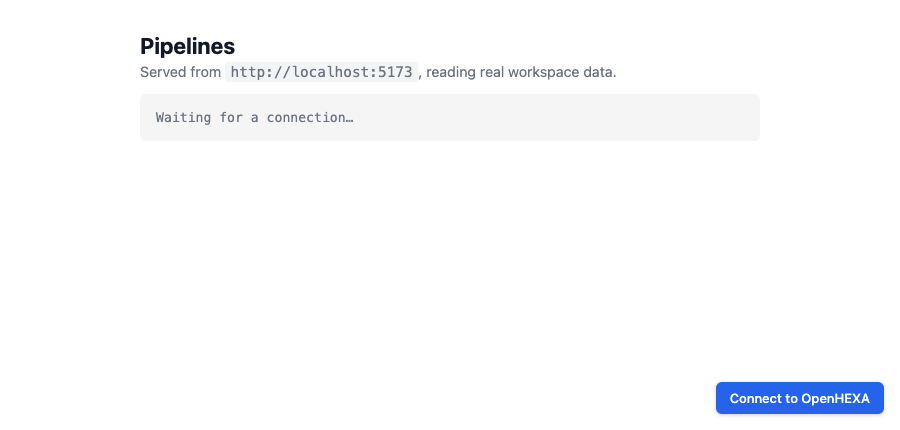
A Connect to OpenHEXA button appears in the corner:
3. Pick a web app and approve
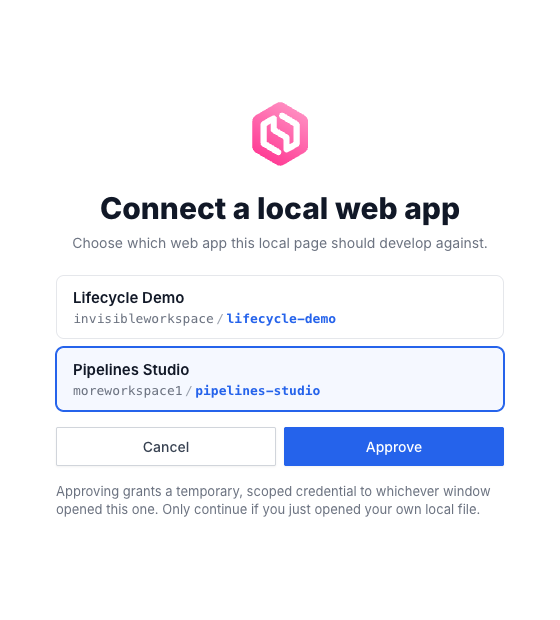
Clicking it opens a small OpenHEXA window listing the private static webapps you can develop against. Pick one and hit Approve:
That's it
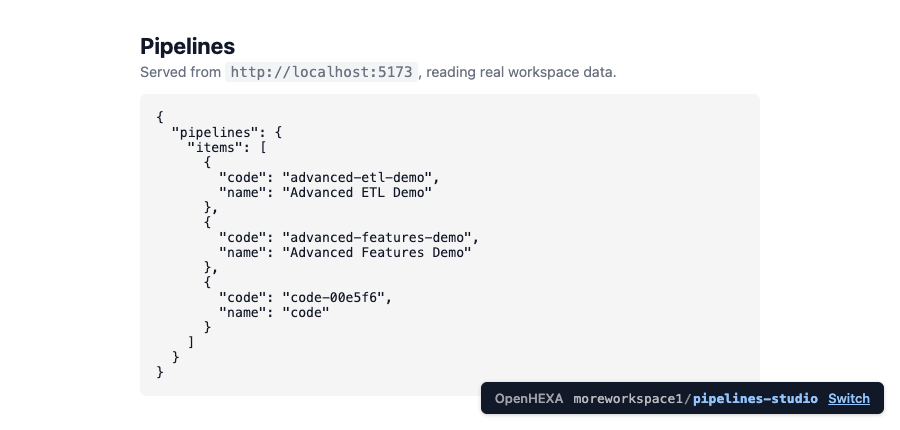
The window closes and your page reloads, connected. window.OPENHEXA is populated and your fetch("/graphql/") calls now return real data. A chip in the corner shows which webapp you're connected to:
Skipping the picker
Name the workspace and webapp up front and the list is reduced to that single, preselected entry — you still confirm with Approve:
<script src="https://api.openhexa.org/webapps/dev.js" data-workspace-slug="my-workspace" data-webapp-slug="my-webapp"></script>
Good to know
- Same permissions as production. Your local calls respect the webapp's
allowed_operationsexactly as they will once deployed, so an operation that works locally won't surprise you with a403later. - The chip is your control. Use Switch to move to a different webapp, or Reconnect to force a fresh credential.
Example webapps
Each example below is a complete index.html you can drop into a static webapp. Every example inlines the same tiny gql() helper so it's standalone, and reads its workspace slug from window.OPENHEXA.
USER_READ — Who am I?
Displays the current user and workspace on load.
Schema
type Query {
  me: Me!
  workspace(slug: String!): Workspace
}

type Me {
  user: User
  features: [FeatureFlag!]!
  permissions: MePermissions!
}

type User {
  id: UUID!
  email: String!
  firstName: String
  lastName: String
  displayName: String!
  language: String!
  avatar: Avatar!
}

type Workspace {
  slug: String!
  name: String!
  description: String
  countries: [Country!]!
  organization: Organization
  createdAt: DateTime!
  updatedAt: DateTime
  createdBy: User!
  currentMembership: WorkspaceMembership  # null when the viewer has access without being a member (e.g. organization admin)
}

type WorkspaceMembership {
  role: WorkspaceMembershipRole!  # ADMIN, EDITOR or VIEWER
}
<!DOCTYPE html>
<html>
<head>
  <meta charset="utf-8">
  <title>Who am I?</title>
  <script src="https://api.openhexa.org/webapps/dev.js"></script>
  <style>
    body { font-family: system-ui, sans-serif; max-width: 640px; margin: 2rem auto; padding: 0 1rem; }
    pre { background: #f5f5f5; padding: 1rem; border-radius: 4px; overflow-x: auto; }
  </style>
</head>
<body>
  <h1>Who am I?</h1>
  <pre id="out">Loading…</pre>

  <script>
    const { workspaceSlug } = window.OPENHEXA;

    async function gql(query, variables = {}) {
      const res = await fetch("/graphql/", {
        method: "POST",
        headers: { "Content-Type": "application/json" },
        body: JSON.stringify({ query, variables }),
      });
      const json = await res.json();
      if (json.errors) throw new Error(json.errors.map(e => e.message).join("; "));
      return json.data;
    }

    (async () => {
      const data = await gql(`
        query($slug: String!) {
          me { user { id email displayName } }
          workspace(slug: $slug) { slug name description }
        }
      `, { slug: workspaceSlug });
      document.getElementById("out").textContent = JSON.stringify(data, null, 2);
    })();
  </script>
</body>
</html>
PIPELINES_READ — List pipelines
Lists every pipeline in the workspace.
Schema
type Query {
  pipelines(
    workspaceSlug: String
    name: String
    search: String
    tags: [String!]
    functionalType: PipelineFunctionalType
    lastRunStates: [PipelineRunStatus!]
    page: Int
    perPage: Int
    orderBy: PipelineOrderBy
  ): PipelinesPage!
}

type PipelinesPage {
  items: [Pipeline!]!
  pageNumber: Int!
  totalPages: Int!
  totalItems: Int!
}

type Pipeline {
  id: UUID!
  code: String!
  name: String
  description: String
  schedule: String
  currentVersion: PipelineVersion
  type: PipelineType!
}
<!DOCTYPE html>
<html>
<head>
  <meta charset="utf-8">
  <title>Pipelines</title>
  <script src="https://api.openhexa.org/webapps/dev.js"></script>
  <style>
    body { font-family: system-ui, sans-serif; max-width: 720px; margin: 2rem auto; padding: 0 1rem; }
    li { margin-bottom: 0.75rem; }
    code { background: #f5f5f5; padding: 0.1rem 0.3rem; border-radius: 3px; }
  </style>
</head>
<body>
  <h1>Pipelines</h1>
  <ul id="list"><li>Loading…</li></ul>

  <script>
    const { workspaceSlug } = window.OPENHEXA;

    async function gql(query, variables = {}) {
      const res = await fetch("/graphql/", {
        method: "POST",
        headers: { "Content-Type": "application/json" },
        body: JSON.stringify({ query, variables }),
      });
      const json = await res.json();
      if (json.errors) throw new Error(json.errors.map(e => e.message).join("; "));
      return json.data;
    }

    (async () => {
      const { pipelines } = await gql(`
        query($slug: String!) {
          pipelines(workspaceSlug: $slug, page: 1, perPage: 50) {
            items { id code name description schedule }
          }
        }
      `, { slug: workspaceSlug });

      const list = document.getElementById("list");
      list.innerHTML = "";
      for (const p of pipelines.items) {
        const li = document.createElement("li");
        li.innerHTML = `<strong>${p.name}</strong> <code>${p.code}</code><br><small>${p.description ?? ""}</small>`;
        list.appendChild(li);
      }
    })();
  </script>
</body>
</html>
PIPELINES_READ + PIPELINES_RUN — Pick a pipeline and run it
Loads the list of pipelines on page open, lets you pick one from a dropdown, and runs it with a JSON config. Polls the run status until it terminates. Requires both PIPELINES_READ (to list) and PIPELINES_RUN (to launch).
Schema
type Query {
  pipelines(workspaceSlug: String, page: Int, perPage: Int): PipelinesPage!
  pipeline(id: UUID!): Pipeline
  pipelineRun(id: UUID!): PipelineRun
}

type Mutation {
  runPipeline(input: RunPipelineInput): RunPipelineResult!
  stopPipeline(input: StopPipelineInput!): StopPipelineResult!
}

input RunPipelineInput {
  id: UUID!
  versionId: UUID
  config: JSON!
  sendMailNotifications: Boolean
  enableDebugLogs: Boolean
}

input StopPipelineInput {
  runId: UUID!
}

type RunPipelineResult {
  success: Boolean!
  errors: [PipelineError!]!
  run: PipelineRun
}

type StopPipelineResult {
  success: Boolean!
  errors: [PipelineError!]!
}

type PipelineRun {
  id: UUID!
  status: PipelineRunStatus!
  progress: Int!
  executionDate: DateTime
  duration: Int
  outputs: [PipelineRunOutput!]!
}

union PipelineRunOutput = BucketObject | GenericOutput | DatabaseTable
<!DOCTYPE html>
<html>
<head>
  <meta charset="utf-8">
  <title>Run a pipeline</title>
  <script src="https://api.openhexa.org/webapps/dev.js"></script>
  <style>
    body { font-family: system-ui, sans-serif; max-width: 640px; margin: 2rem auto; padding: 0 1rem; }
    label { display: block; margin: 0.75rem 0 0.25rem; font-weight: 500; }
    select, textarea { width: 100%; padding: 0.4rem; box-sizing: border-box; font-family: inherit; }
    button { margin-top: 1rem; padding: 0.5rem 1rem; }
    button[disabled] { opacity: 0.5; cursor: not-allowed; }
    #status { margin-top: 1rem; font-weight: 600; }
  </style>
</head>
<body>
  <h1>Run a pipeline</h1>

  <label>Pipeline
    <select id="pipeline" disabled><option>Loading…</option></select>
  </label>
  <label>Config (JSON)
    <textarea id="cfg" rows="4">{}</textarea>
  </label>
  <button id="runBtn" disabled onclick="runIt()">Run</button>

  <p id="status"></p>

  <script>
    const { workspaceSlug } = window.OPENHEXA;

    async function gql(query, variables = {}) {
      const res = await fetch("/graphql/", {
        method: "POST",
        headers: { "Content-Type": "application/json" },
        body: JSON.stringify({ query, variables }),
      });
      const json = await res.json();
      if (json.errors) throw new Error(json.errors.map(e => e.message).join("; "));
      return json.data;
    }

    // 1. Load the pipeline list and populate the dropdown.
    (async () => {
      const { pipelines } = await gql(`
        query($slug: String!) {
          pipelines(workspaceSlug: $slug, page: 1, perPage: 100) {
            items { id code name }
          }
        }
      `, { slug: workspaceSlug });

      const select = document.getElementById("pipeline");
      if (!pipelines.items.length) {
        select.innerHTML = '<option>(no pipelines in this workspace)</option>';
        return;
      }
      select.innerHTML = pipelines.items
        .map(p => `<option value="${p.id}">${p.name} (${p.code})</option>`)
        .join("");
      select.disabled = false;
      document.getElementById("runBtn").disabled = false;
    })();

    // 2. Run the selected pipeline and poll until it terminates.
    async function runIt() {
      const id = document.getElementById("pipeline").value;
      const config = JSON.parse(document.getElementById("cfg").value || "{}");
      const status = document.getElementById("status");

      const { runPipeline } = await gql(`
        mutation($input: RunPipelineInput!) {
          runPipeline(input: $input) {
            success errors run { id status }
          }
        }
      `, { input: { id, config } });

      if (!runPipeline.success) {
        status.textContent = "Error: " + runPipeline.errors.join(", ");
        return;
      }

      const runId = runPipeline.run.id;
      status.textContent = "Running…";

      while (true) {
        await new Promise(r => setTimeout(r, 2000));
        const { pipelineRun } = await gql(
          `query($id: UUID!) { pipelineRun(id: $id) { status } }`,
          { id: runId },
        );
        status.textContent = "Status: " + pipelineRun.status;
        if (["success", "failed", "stopped", "skipped"].includes(pipelineRun.status)) break;
      }
    }
  </script>
</body>
</html>
USER_READ + FILES_READ — Pick a CSV from the workspace bucket and preview it
Lists CSV files in the workspace bucket on page load, lets you pick one from a dropdown, and renders the first 100 lines as a table. Requires both USER_READ (to list files via workspace.bucket.objects) and FILES_READ (to read content).
Schema
type Query {
  getFileByPath(workspaceSlug: String!, path: String!): BucketObject
  readFileContent(
    workspaceSlug: String!
    filePath: String!
    startLine: Int
    endLine: Int
  ): ReadFileContentResult!
}

type Mutation {
  prepareObjectDownload(input: PrepareObjectDownloadInput!): PrepareObjectDownloadResult!
}

input PrepareObjectDownloadInput {
  workspaceSlug: String!
  objectKey: String!
  forceAttachment: Boolean = true
}

type BucketObject {
  key: String!
  name: String!
  path: String!
  size: BigInt
  updatedAt: DateTime
  type: BucketObjectType!
}

type ReadFileContentResult {
  success: Boolean!
  errors: [ReadFileContentError!]!
  content: String
  size: Int
}

type PrepareObjectDownloadResult {
  success: Boolean!
  downloadUrl: URL
  errors: [PrepareObjectDownloadError!]!
}
<!DOCTYPE html>
<html>
<head>
  <meta charset="utf-8">
  <title>Preview CSV</title>
  <script src="https://api.openhexa.org/webapps/dev.js"></script>
  <style>
    body { font-family: system-ui, sans-serif; max-width: 800px; margin: 2rem auto; padding: 0 1rem; }
    label { display: block; margin: 0.75rem 0 0.25rem; font-weight: 500; }
    select { width: 100%; padding: 0.4rem; box-sizing: border-box; font-family: inherit; }
    button { margin-top: 0.75rem; padding: 0.5rem 1rem; }
    button[disabled] { opacity: 0.5; cursor: not-allowed; }
    table { border-collapse: collapse; margin-top: 1rem; width: 100%; }
    th, td { border: 1px solid #ddd; padding: 0.3rem 0.5rem; font-size: 0.9rem; }
    th { background: #f5f5f5; }
    #status { margin-top: 1rem; color: #b91c1c; }
  </style>
</head>
<body>
  <h1>Preview CSV</h1>

  <label>File
    <select id="file" disabled><option>Loading…</option></select>
  </label>
  <button id="loadBtn" disabled onclick="load()">Load</button>

  <p id="status"></p>
  <div id="table"></div>

  <script>
    const { workspaceSlug } = window.OPENHEXA;

    async function gql(query, variables = {}) {
      const res = await fetch("/graphql/", {
        method: "POST",
        headers: { "Content-Type": "application/json" },
        body: JSON.stringify({ query, variables }),
      });
      const json = await res.json();
      if (json.errors) throw new Error(json.errors.map(e => e.message).join("; "));
      return json.data;
    }

    // 1. List CSV files in the bucket and populate the dropdown.
    (async () => {
      const { workspace } = await gql(`
        query($slug: String!) {
          workspace(slug: $slug) {
            bucket {
              objects(page: 1, perPage: 200, ignoreHiddenFiles: true) {
                items { key name path type }
              }
            }
          }
        }
      `, { slug: workspaceSlug });

      const csvFiles = workspace.bucket.objects.items
        .filter(o => o.type === "FILE" && o.name.toLowerCase().endsWith(".csv"));

      const select = document.getElementById("file");
      if (!csvFiles.length) {
        select.innerHTML = '<option>(no CSV files in this workspace)</option>';
        return;
      }
      select.innerHTML = csvFiles
        .map(f => `<option value="${f.key}">${f.key}</option>`)
        .join("");
      select.disabled = false;
      document.getElementById("loadBtn").disabled = false;
    })();

    // 2. Fetch and render the selected file as a table.
    async function load() {
      const path = document.getElementById("file").value;
      const status = document.getElementById("status");
      const out = document.getElementById("table");
      status.textContent = "";
      out.innerHTML = "";

      const { readFileContent } = await gql(`
        query($slug: String!, $path: String!) {
          readFileContent(workspaceSlug: $slug, filePath: $path, startLine: 1, endLine: 100) {
            success content
          }
        }
      `, { slug: workspaceSlug, path });

      if (!readFileContent.success || !readFileContent.content) {
        status.textContent = "Could not read this file (it may be empty or unreadable as text).";
        return;
      }

      const rows = readFileContent.content.trim().split("\n").map(l => l.split(","));
      const [header, ...body] = rows;
      out.innerHTML = [
        "<table><thead><tr>",
        header.map(h => `<th>${h}</th>`).join(""),
        "</tr></thead><tbody>",
        body.map(r => "<tr>" + r.map(c => `<td>${c}</td>`).join("") + "</tr>").join(""),
        "</tbody></table>",
      ].join("");
    }
  </script>
</body>
</html>
USER_READ + DATASETS_READ — List datasets
Lists datasets visible to the workspace and their latest version. Requires both USER_READ (the list comes from workspace.datasets) and DATASETS_READ (to read the datasets themselves).
Schema
type Query {
  # `query` is a case-insensitive match on the dataset name, not on its slug.
  datasets(query: String, page: Int = 1, perPage: Int = 15): DatasetPage!
  dataset(id: ID!): Dataset
  datasetVersion(id: ID!): DatasetVersion
  datasetLink(id: ID!): DatasetLink
}

type Workspace {
  # Datasets of the workspace, including the ones shared with it.
  datasets(pinned: Boolean, query: String, page: Int = 1, perPage: Int = 15): DatasetLinkPage!
}

type DatasetLinkPage {
  totalPages: Int!
  totalItems: Int!
  pageNumber: Int!
  items: [DatasetLink!]!
}

type DatasetLink {
  id: ID!
  isPinned: Boolean!
  dataset: Dataset!
  workspace: Workspace!
}

type DatasetPage {
  totalPages: Int!
  totalItems: Int!
  pageNumber: Int!
  items: [Dataset!]!
}

type Dataset {
  id: ID!
  slug: String!
  name: String!
  description: String
  createdAt: DateTime!
  updatedAt: DateTime!
  createdBy: User
  versions(page: Int = 1, perPage: Int = 15): DatasetVersionPage!
  latestVersion: DatasetVersion
  links(page: Int = 1, perPage: Int = 15): DatasetLinkPage!
}

type DatasetVersionPage {
  totalPages: Int!
  totalItems: Int!
  pageNumber: Int!
  items: [DatasetVersion!]!
}

type DatasetVersion {
  id: ID!
  name: String!
  changelog: String
  createdAt: DateTime!
  createdBy: User
  dataset: Dataset!
  files(page: Int = 1, perPage: Int = 15): DatasetVersionFilePage!
  fileByName(name: String!): DatasetVersionFile
}

type DatasetVersionFilePage {
  totalPages: Int!
  totalItems: Int!
  pageNumber: Int!
  items: [DatasetVersionFile!]!
}

type DatasetVersionFile {
  id: ID!
  filename: String!
  contentType: String!
  size: BigInt!
  createdAt: DateTime!
  # Filled in once the file has been profiled (CSV, Parquet, Excel); null otherwise.
  rows: Int
  columns: [String!]
  fileSample: DatasetFileSample
  # Short-lived signed URL to the file content. Null if the user cannot download
  # this version. `attachment: false` serves it inline instead of as a download.
  downloadUrl(attachment: Boolean = true): String
}

type DatasetFileSample {
  # First rows of the file, as a list of { column: value } objects.
  sample: JSON
  status: FileSampleStatus!  # PROCESSING, FINISHED or FAILED
  statusReason: String
}
<!DOCTYPE html>
<html>
<head>
  <meta charset="utf-8">
  <title>Datasets</title>
  <script src="https://api.openhexa.org/webapps/dev.js"></script>
  <style>
    body { font-family: system-ui, sans-serif; max-width: 720px; margin: 2rem auto; padding: 0 1rem; }
    li { margin-bottom: 0.75rem; }
    small { color: #666; }
  </style>
</head>
<body>
  <h1>Datasets</h1>
  <ul id="list"><li>Loading…</li></ul>

  <script>
    const { workspaceSlug } = window.OPENHEXA;

    async function gql(query, variables = {}) {
      const res = await fetch("/graphql/", {
        method: "POST",
        headers: { "Content-Type": "application/json" },
        body: JSON.stringify({ query, variables }),
      });
      const json = await res.json();
      if (json.errors) throw new Error(json.errors.map(e => e.message).join("; "));
      return json.data;
    }

    (async () => {
      const { workspace } = await gql(`
        query($slug: String!) {
          workspace(slug: $slug) {
            datasets(page: 1, perPage: 50) {
              items {
                dataset {
                  id slug name description
                  latestVersion { name createdAt }
                }
              }
            }
          }
        }
      `, { slug: workspaceSlug });

      const list = document.getElementById("list");
      list.innerHTML = "";
      for (const item of workspace.datasets.items) {
        const d = item.dataset;
        const li = document.createElement("li");
        const v = d.latestVersion ? `${d.latestVersion.name} — ${new Date(d.latestVersion.createdAt).toLocaleDateString()}` : "no version yet";
        li.innerHTML = `<strong>${d.name}</strong><br><small>Latest: ${v}</small>`;
        list.appendChild(li);
      }
    })();
  </script>
</body>
</html>
USER_READ + DATASETS_READ — Read a dataset file
Lets you pick a dataset, then one of the CSV files of its latest version, and renders the first 100 rows as a table. Requires USER_READ (to list datasets via workspace.datasets) and DATASETS_READ (to list the version's files and get their download URL). Uses the schema above.
Dataset files are not in the workspace bucket, so readFileContent and prepareObjectDownload cannot read them. Instead, ask GraphQL for the file's downloadUrl and fetch() it:
- The URL is signed and expires after about ten minutes. Request it right before downloading rather than when the page loads.
- It points to the storage service, not to the webapp's
/graphql/endpoint: fetch it as is, without extra headers. - It is
nullwhen the user is not allowed to download the dataset version.
To show a preview only, skip the download and read fileSample { status sample }. sample is already parsed into a list of { column: value } rows, and is available once status is FINISHED.
When the web app always shows the same dataset, hardcode the dataset's id and read it with dataset(id:), which only needs DATASETS_READ. A dataset cannot be looked up by its slug from a web app, and datasets(query:) matches names, so passing a slug to it returns nothing. Reading latestVersion keeps the app up to date when a new version is published:
const DATASET_ID = "<dataset id>";
const FILE_NAME = "my_file.csv";

const { dataset } = await gql(`
  query($id: ID!, $name: String!) {
    dataset(id: $id) {
      latestVersion {
        fileByName(name: $name) { downloadUrl(attachment: false) }
      }
    }
  }
`, { id: DATASET_ID, name: FILE_NAME });

const url = dataset?.latestVersion?.fileByName?.downloadUrl;
if (!url) throw new Error("File not found, or you are not allowed to download it.");
const csv = await (await fetch(url)).text();
The full example below lets the user pick the dataset instead:
<!DOCTYPE html>
<html>
<head>
  <meta charset="utf-8">
  <title>Dataset file preview</title>
  <script src="https://api.openhexa.org/webapps/dev.js"></script>
  <style>
    body { font-family: system-ui, sans-serif; max-width: 800px; margin: 2rem auto; padding: 0 1rem; }
    label { display: block; margin: 0.75rem 0 0.25rem; font-weight: 500; }
    select { width: 100%; padding: 0.4rem; box-sizing: border-box; font-family: inherit; }
    button { margin-top: 0.75rem; padding: 0.5rem 1rem; }
    button[disabled] { opacity: 0.5; cursor: not-allowed; }
    table { border-collapse: collapse; margin-top: 1rem; width: 100%; }
    th, td { border: 1px solid #ddd; padding: 0.3rem 0.5rem; font-size: 0.9rem; }
    th { background: #f5f5f5; }
    #status { margin-top: 1rem; color: #b91c1c; }
  </style>
</head>
<body>
  <h1>Dataset file preview</h1>

  <label>Dataset
    <select id="dataset" disabled onchange="loadFiles()"><option>Loading…</option></select>
  </label>
  <label>File
    <select id="file" disabled></select>
  </label>
  <button id="loadBtn" disabled onclick="load()">Load</button>

  <p id="status"></p>
  <div id="table"></div>

  <script>
    const { workspaceSlug } = window.OPENHEXA;
    let versionId = null;

    async function gql(query, variables = {}) {
      const res = await fetch("/graphql/", {
        method: "POST",
        headers: { "Content-Type": "application/json" },
        body: JSON.stringify({ query, variables }),
      });
      const json = await res.json();
      if (json.errors) throw new Error(json.errors.map(e => e.message).join("; "));
      return json.data;
    }

    // 1. List the workspace's datasets.
    (async () => {
      const { workspace } = await gql(`
        query($slug: String!) {
          workspace(slug: $slug) {
            datasets(page: 1, perPage: 50) {
              items { dataset { id name } }
            }
          }
        }
      `, { slug: workspaceSlug });

      const select = document.getElementById("dataset");
      select.innerHTML = '<option value="">Pick a dataset…</option>' + workspace.datasets.items
        .map(({ dataset }) => `<option value="${dataset.id}">${dataset.name}</option>`)
        .join("");
      select.disabled = false;
    })();

    // 2. List the CSV files of the dataset's latest version.
    async function loadFiles() {
      const datasetId = document.getElementById("dataset").value;
      const fileSelect = document.getElementById("file");
      const loadBtn = document.getElementById("loadBtn");
      const status = document.getElementById("status");
      fileSelect.innerHTML = "";
      fileSelect.disabled = loadBtn.disabled = true;
      status.textContent = "";
      document.getElementById("table").innerHTML = "";
      if (!datasetId) return;

      const { dataset } = await gql(`
        query($id: ID!) {
          dataset(id: $id) {
            latestVersion {
              id name
              files(page: 1, perPage: 50) { items { filename size } }
            }
          }
        }
      `, { id: datasetId });

      const version = dataset.latestVersion;
      if (!version) {
        status.textContent = "This dataset has no version yet.";
        return;
      }
      versionId = version.id;
      const csvFiles = version.files.items.filter(f => f.filename.toLowerCase().endsWith(".csv"));
      if (!csvFiles.length) {
        status.textContent = `Version ${version.name} has no CSV file.`;
        return;
      }
      fileSelect.innerHTML = csvFiles
        .map(f => `<option value="${f.filename}">${f.filename}</option>`)
        .join("");
      fileSelect.disabled = loadBtn.disabled = false;
    }

    // 3. Get a fresh download URL for the selected file, download it and render it.
    async function load() {
      const filename = document.getElementById("file").value;
      const status = document.getElementById("status");
      const out = document.getElementById("table");
      status.textContent = "";
      out.innerHTML = "";

      const { datasetVersion } = await gql(`
        query($id: ID!, $name: String!) {
          datasetVersion(id: $id) {
            fileByName(name: $name) { downloadUrl(attachment: false) }
          }
        }
      `, { id: versionId, name: filename });

      const url = datasetVersion.fileByName?.downloadUrl;
      if (!url) {
        status.textContent = "You are not allowed to download this file.";
        return;
      }
      const res = await fetch(url);
      if (!res.ok) {
        status.textContent = `Download failed (${res.status}).`;
        return;
      }

      const rows = (await res.text()).trim().split("\n").slice(0, 101).map(l => l.split(","));
      const [header, ...body] = rows;
      out.innerHTML = [
        "<table><thead><tr>",
        header.map(h => `<th>${h}</th>`).join(""),
        "</tr></thead><tbody>",
        body.map(r => "<tr>" + r.map(c => `<td>${c}</td>`).join("") + "</tr>").join(""),
        "</tbody></table>",
      ].join("");
    }
  </script>
</body>
</html>
DATABASE_READ — Run a saved query
Runs a query saved in the Data Studio and renders the rows as a table. The web app names the query by its slug; it never holds the SQL.
Schema
type Query {
  executeSavedQuery(input: ExecuteSavedQueryInput!): ExecuteSQLResult!
}

input ExecuteSavedQueryInput {
  slug: String!
  orderBy: [QueryResultOrderBy!]
  perPage: Int                 # defaults to 50
  page: Int                    # 1-based
  after: String                # the previous page's endCursor
  before: String               # the next page's startCursor
  includeTotalItems: Boolean
}

input QueryResultOrderBy {
  column: String!
  direction: OrderByDirection = ASC   # ASC | DESC
}

# Same payload as executeSQL.
type ExecuteSQLResult {
  success: Boolean!
  errors: [ExecuteSQLError!]!
  errorMessage: String
  columns: [String!]
  rows: [JSON!]
  rowCount: Int
  pageInfo: QueryResultPageInfo
  durationMs: Int
}

type QueryResultPageInfo {
  hasNextPage: Boolean!
  hasPreviousPage: Boolean!
  pageNumber: Int      # null with a cursor
  startCursor: String  # null on the first page
  endCursor: String    # null on the last page
  totalItems: Int      # only with includeTotalItems
  totalPages: Int      # only with includeTotalItems
}

enum ExecuteSQLError {
  SAVED_QUERY_NOT_FOUND
  PERMISSION_DENIED
  QUERY_TIMEOUT
  QUERY_ERROR
  MULTIPLE_STATEMENTS
  INVALID_ORDER_BY
  INVALID_CURSOR
  INVALID_PAGINATION
}
Find the slug in the Data Studio: it is the last segment of the saved query's URL. Note that the query must be shared with the workspace, a private one fails with SAVED_QUERY_NOT_FOUND.
Sorting and pagination
A call with only a slug runs the query as saved and returns its first perPage rows; pageInfo.hasNextPage tells you whether the cap cut the result. To sort or page through the result, add orderBy, page, after or before: the query is then wrapped in a subquery, so its own ORDER BY is overridden and any LIMIT it carries still applies inside. Two modes are available, and orderBy alone returns the first page of both:
- By page number (
page): simple, and the only mode that can report a total. Ask for one withincludeTotalItems: true, at the cost of a second scan of the query. Without anorderBythe order of rows is not guaranteed from one page to the next. - By cursor (
afterorbefore): pass the previous page'sendCursorasafterto move forward, or the next page'sstartCursorasbeforeto move back, always with the sameorderBy. Stable when rows are inserted or deleted between calls, and cheap on deep pages. Sort on non-nullable columns and endorderBywith a unique one; a cursor ofnullalongsidehasNextPage(orhasPreviousPage)truemeans the row's sort key holds aNULLand that ordering cannot be paged by cursor from there.
INVALID_ORDER_BY is returned for a column the result does not have (or has twice: alias the columns in the saved query), INVALID_CURSOR for a cursor built for another query or ordering, and INVALID_PAGINATION for arguments that contradict each other, such as page together with a cursor, or after with before.
<!DOCTYPE html>
<html>
<head>
  <meta charset="utf-8">
  <title>Saved query</title>
  <script src="https://api.openhexa.org/webapps/dev.js"></script>
  <style>
    body { font-family: system-ui, sans-serif; max-width: 900px; margin: 2rem auto; padding: 0 1rem; }
    table { border-collapse: collapse; width: 100%; }
    th, td { border: 1px solid #e5e7eb; padding: 0.375rem 0.5rem; text-align: left; font-size: 0.875rem; }
    th { background: #f9fafb; }
  </style>
</head>
<body>
  <h1>Saved query</h1>
  <div id="out">Loading…</div>

  <script>
    const SAVED_QUERY_SLUG = "my-saved-query";

    async function gql(query, variables) {
      const res = await fetch("/graphql/", {
        method: "POST",
        credentials: "include",
        headers: { "Content-Type": "application/json" },
        body: JSON.stringify({ query, variables }),
      });
      const json = await res.json();
      if (json.errors) throw new Error(json.errors.map(e => e.message).join("; "));
      return json.data;
    }

    (async () => {
      const out = document.getElementById("out");
      const { executeSavedQuery: result } = await gql(`
        query($input: ExecuteSavedQueryInput!) {
          executeSavedQuery(input: $input) {
            success errors columns rows rowCount
            pageInfo { hasNextPage }
          }
        }
      `, { input: { slug: SAVED_QUERY_SLUG, perPage: 100 } });

      if (!result.success) {
        out.textContent = "Error: " + result.errors.join(", ");
        return;
      }

      const header = result.columns.map(c => `<th>${c}</th>`).join("");
      const body = result.rows.map(row =>
        `<tr>${result.columns.map(c => `<td>${row[c] ?? ""}</td>`).join("")}</tr>`
      ).join("");
      out.innerHTML = `<table><thead><tr>${header}</tr></thead><tbody>${body}</tbody></table>` +
        (result.pageInfo.hasNextPage ? `<p>Showing the first ${result.rowCount} rows.</p>` : "");
    })();
  </script>
</body>
</html>
To page through a large result, keep the orderBy fixed and pass each page's endCursor back as after:
async function* pages(slug, orderBy, perPage = 100) {
  let after = null;
  while (true) {
    const { executeSavedQuery: result } = await gql(`
      query($input: ExecuteSavedQueryInput!) {
        executeSavedQuery(input: $input) {
          success errors rows pageInfo { hasNextPage endCursor }
        }
      }
    `, { input: { slug, orderBy, perPage, after } });
    if (!result.success) throw new Error(result.errors.join(", "));
    yield result.rows;
    if (!result.pageInfo.hasNextPage) return;
    after = result.pageInfo.endCursor;
  }
}

for await (const rows of pages(SAVED_QUERY_SLUG, [{ column: "id" }])) {
  console.log(rows.length, "rows");
}
A table with Previous and Next buttons keeps the current page's startCursor and endCursor and sends one of them back: { before: startCursor } for the previous page, { after: endCursor } for the next. Both are null when there is no page in that direction.